!! Getting Started !!
Requirements:
- You’ll need mkpsxiso for extracting/recreating ISO images
- Also, be sure to install the requirements in requirements.txt with…
python -m pip -r requirements.txt
Further, download the scripts from my github:
git clone https://github.com/drsparklegasm/mgs1-scripts
You’ll want to extract mkpsxiso and dumpsxiso somewhere you can easily find them, or add them to your path. For the video I have them extracted in my working folder.
- Windows: Download the zip from the releases page.
- Linux: I believe most package managers or the AUR will have it.
- Mac: I had to compile from source for mac, but it might have been on brew.
Extracting the game files
The first thing needed is to extract the ISO disc image so that we can access the files directly. The easiest way is to do this:
Mac/Linux:
dumpsxiso "Metal Gear Solid (USA) (Disc 1) (v1.0).bin" -s Rebuild.xml
Windows:
> .\mkpsxiso-2.10-win64\bin\dumpsxiso.exe '.\Metal Gear Solid (USA) (Disc 1) (v1.0).bin'
I like to specify the filename for the xml that it outputs, but the name of the disk/bin file will be used for the XML if it’s not specified. This file is important for rebuilding the image, so don’t remove it.
You should now have a folder containing the files that would appear on the disk. Most of the binary files we need are inside the MGS folder.
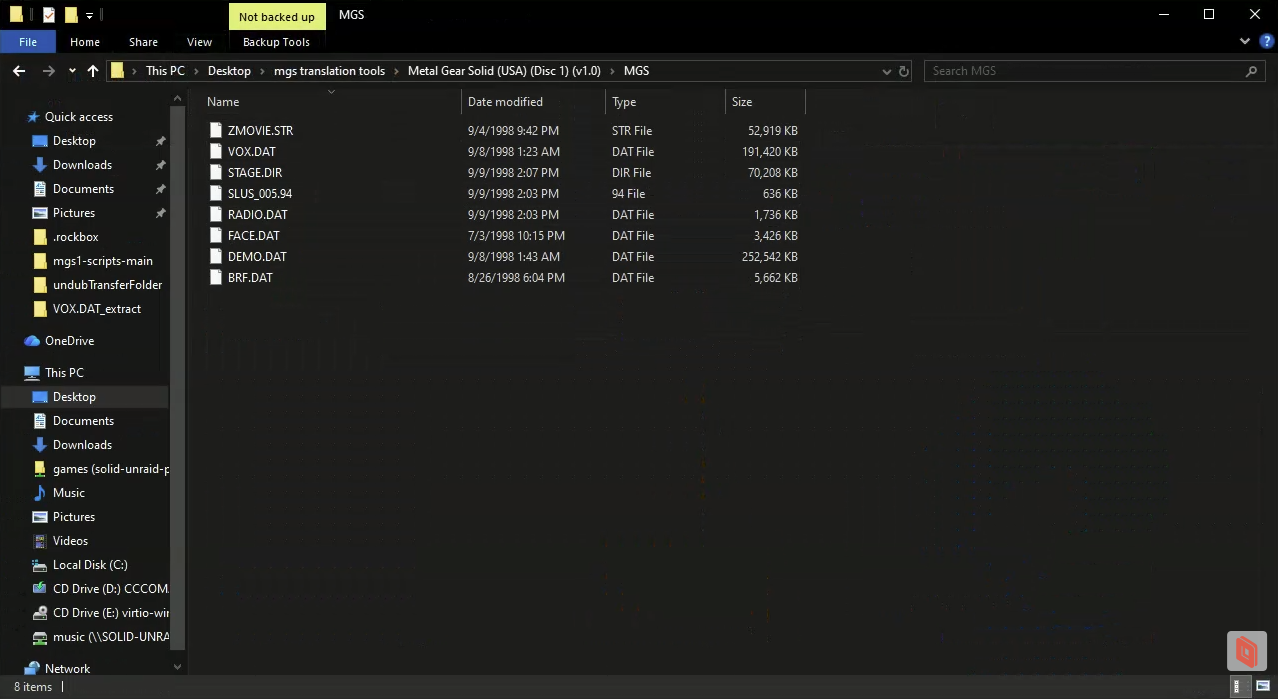
For the first example we’ll look at modifying, we’ll start where I started with RADIO.DAT that contains all codec call dialogue.
Setting up project folders for mass re-translation
I scripted a lot of things to programmatically adjust the translation from the original files each time I built a new version. You don’t need to do this, but it made it easier for me to continue to ensure no code was broken.